Chamfers out. Sharp corners back.
Models from SketchUp, CAD and manufacturer sites arrive full of tiny chamfers: thousands of useless polygons and dirty wireframes. UnChamfer detects and removes the chamfers and rebuilds the original surfaces — in Auto mode, just apply the modifier.
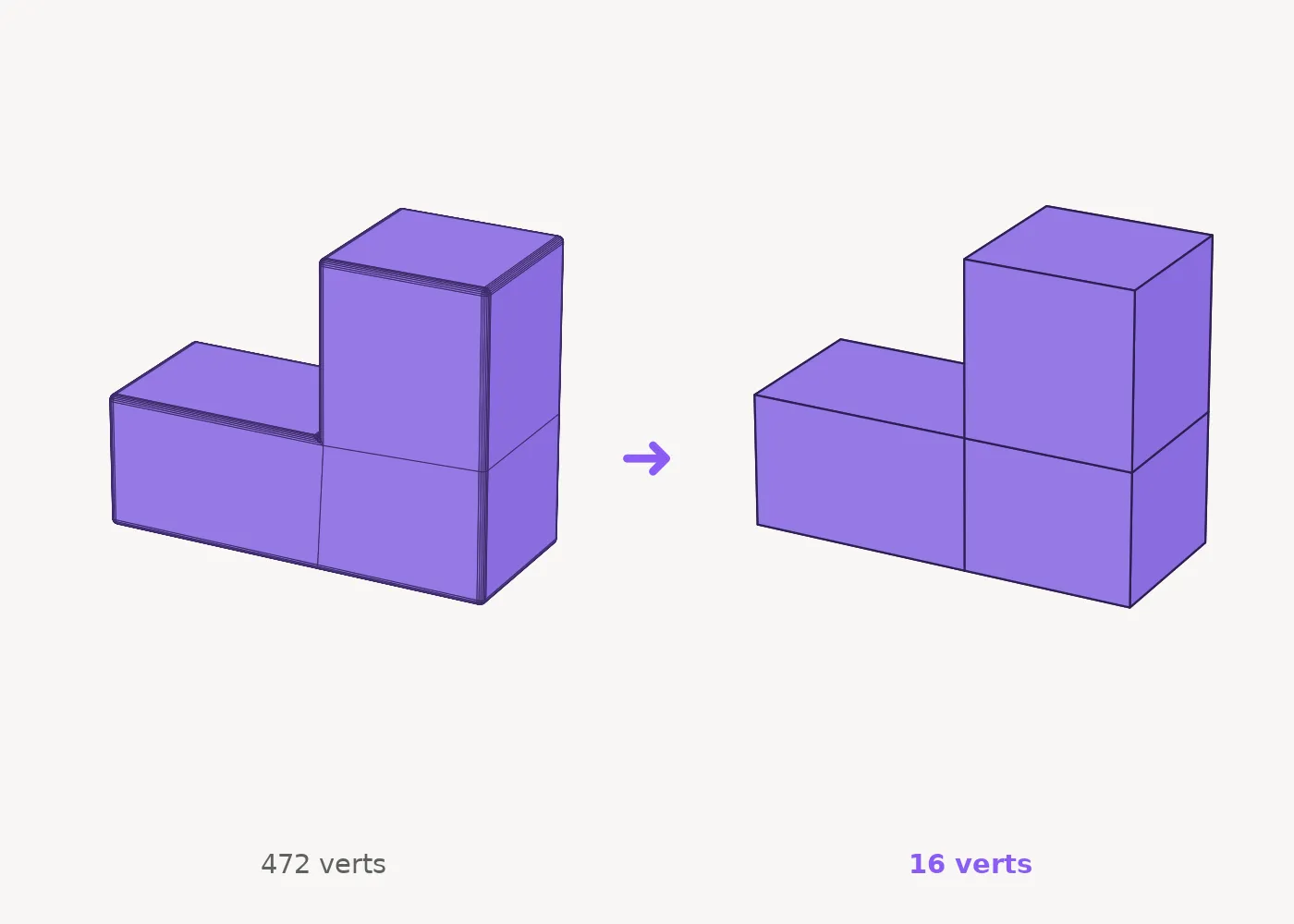
Apply it. Done.
No selection needed: UnChamfer analyzes the part, separates real surfaces from chamfer bands, and collapses every rounded strip back into the exact sharp edge — with clean rebuilt caps. And it’s safe by design: if the part is curved or detection isn’t reliable, it simply does nothing and suggests Manual mode. It never destroys your mesh.
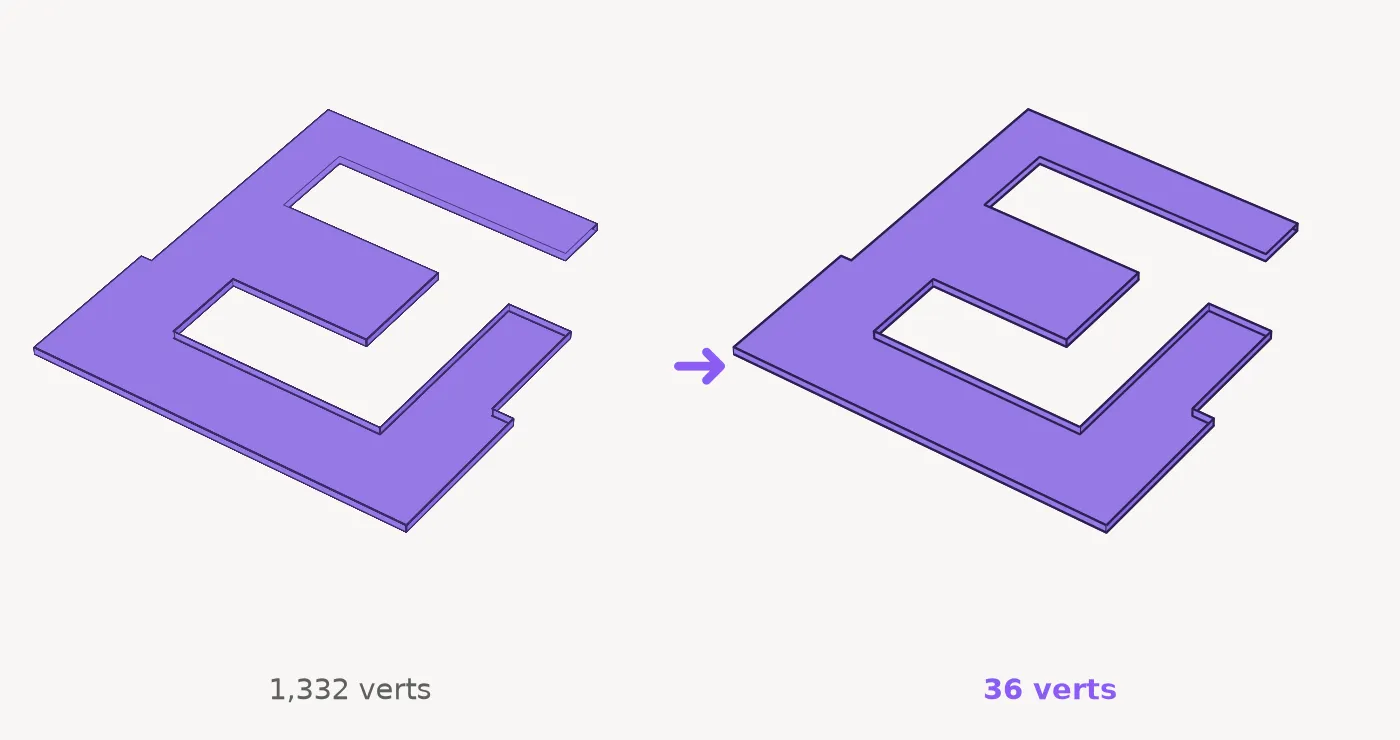
1,332 verts become 36.
An imported countertop with its entire perimeter rounded in 6 segments: 98% of the polygons were chamfer. UnChamfer collapses everything into exact sharp edges — full contour, convex and concave corners, perfect caps. Surface UVs, Material IDs and smoothing groups are preserved. And it’s a modifier: non-destructive, toggle on/off, the original stays intact in the stack.
Make Instance: copies become instances.
Select the original object and the copies, click once: every copy becomes a real instance of the first object, keeping its transform. Lighter scene — edit one, update all. Works with any object type — geometry, lights, proxies, helpers. Lives as a toolbar button (Customize → AnimArq category), with full undo.
What comes in the box.
Auto detection
Apply the modifier and that’s it: chamfer bands are detected by geometric surface analysis — independent of the part’s axes, scale or orientation.
Manual mode
Select the chamfer faces in Editable Poly and the engine does the rest — works on any part, including curved surfaces (amphitheaters, cylinders).
Any segment count
From a simple 45° bevel to dense multi-segment fillets — the collapse rebuilds the exact intersection of the original surfaces.
Preserves UVs, IDs & smoothing
Surface mapping, Material IDs and smoothing groups survive the removal — your texturing doesn’t break.
Non-destructive
It’s a stack modifier: toggle, remove, adjust — the original object stays intact underneath.
Safe by design
Layered safety checks: when in doubt, the plugin does nothing and tells you — it never collapses the wrong mesh.
Make Instance
Copies become real instances in one click — any node type, transform preserved, full undo. Included in the same license.
Free trial built in
Try before you buy: works up to 50 chamfer faces (and 3 instances per click) without a license.
Free trial built in
UnChamferwithout a license, works up to 50 chamfer facesMake Instancewithout a license, works up to 3 instances per clickBefore you buy
No. It is a one-time payment: the licence is lifetime and keeps working with no renewal.
3ds Max 2023–2027, on 64-bit Windows.
Yes, and the trial is the plugin itself, with no deadline. Unlicensed, UnChamfer handles up to 50 chamfer faces and Make Instance creates 3 instances per click.
Drag the installer into a 3ds Max viewport (it may ask you to run Max as Administrator), restart Max and add the button from the “AnimArq” category in Customize.
Yes. Detection works on the chamfer’s topology, not on the part’s orientation.
Stop cleaning meshes by hand.
Lifetime license, two tools, every Max version on your machine. Launch price for a limited time.